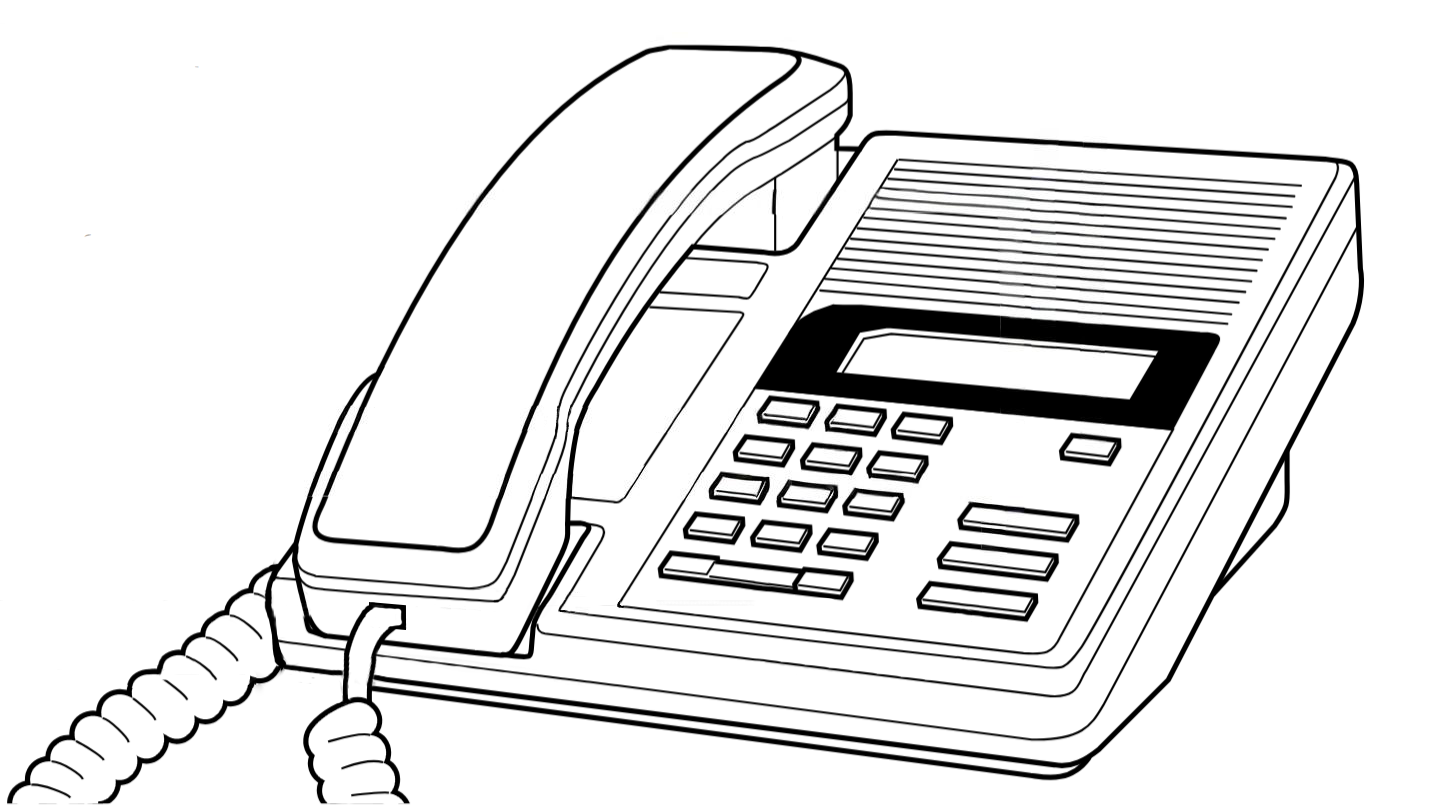
Northern Telecom product illustration
|
|
M7100
M-Series · Single-Line Digital Set
The M7100 is the entry-level model in the Norstar M-Series digital telephone family.
Designed for basic extensions, common areas, and low-traffic locations, it provides
reliable digital voice service through a compact dial pad with no programmable buttons.
Despite its simplicity, the M7100 includes the full 1-line alphanumeric display and
the three characteristic red fixed-function keys shared across all M-Series sets.
Like all Norstar digital sets, it is entirely loop-powered from the KSU and requires
no external power supply.
| › |
Single-line operation — no programmable buttons |
| › |
1-line, 16-character alphanumeric display |
| › |
Compatible with all Norstar KSU platforms |
| › |
Single-pair digital station wiring |
| › |
Available in Charcoal and Almond |
| › |
KSU loop-powered — no external power supply |
|
| Model Number |
M7100 |
| Series |
Norstar M-Series |
| Programmable Buttons |
None — single-line operation via dial pad only |
| Lines |
1 — single intercom DN; no line appearance keys |
| Display |
1-line × 16-character alphanumeric LCD |
| Soft / Display Keys |
None |
| Fixed Keys |
Release (red), Feature (red), Hold (red), Volume Up, Volume Down, dial pad (0–9, *, #) |
| Message Waiting |
LED indicator illuminated by KSU when voicemail or messages are waiting |
| Handset |
Standard NT digital handset with coiled cord |
| Speakerphone |
None — handset operation only |
| Headset Port |
Not present on standard M7100 |
| Ringer |
Adjustable volume and tone (programmable via Feature 1) |
| Station Connection |
Single pair, standard Norstar digital station port (RJ-11 / RJ-45 to 25-pair distribution) |
| Power |
Loop-powered from KSU over station pair — no local AC adapter required |
| Max. Station Cable Run |
Up to 300 m (1,000 ft) on 24 AWG solid copper — see Wiring Reference for full distance table |
| Colour Options |
Charcoal (standard), Almond |
| Desk Stand |
Integrated tilt stand, two positions |
| Wall Mountable |
Yes — handset retainer clip reversible for wall-mount orientation |
| Add-on Modules |
Not supported |
| KSU Compatibility |
Norstar 3x8, 6x16, Compact ICS (all versions), Integrated ICS, Modular ICS |
| Interoperability |
Fully interchangeable on same system with M7208, M7310, M7324, T7100, T7208, T7316, T7316e, T7406 |
| Approx. Dimensions |
206 mm × 196 mm × 75 mm (W × D × H with stand) |
| Approx. Weight |
Approx. 0.8 kg |
| Key and Button Reference |
|
| Key / Button |
Type |
Function |
| Display |
LCD |
1-line × 16-character alphanumeric. Shows the active caller identification, line label, call timer, feature status, and system prompts. The display updates dynamically during feature programming to guide the user step by step. |
| RLS (Release) |
Fixed — red |
Ends the active call and releases the line. Also used to exit from feature programming menus without saving. Equivalent to replacing the handset. |
| Feature |
Fixed — red |
Activates feature code entry mode. Press Feature followed by the feature code number (e.g., Feature 70 for Do Not Disturb). Also the entry point for all user-level and System Coordinator programming. |
| Hold |
Fixed — red |
Places the active call on exclusive hold at this set. The call can only be retrieved from this telephone. For system hold (retrievable by any set), use Feature 83. |
| Volume ▲ |
Fixed |
Increases handset receive volume during a call. Outside of a call, increases ringer volume. Settings are retained after the call ends. |
| Volume ▼ |
Fixed |
Decreases handset receive volume during a call. Outside of a call, decreases ringer volume. |
| Dial Pad |
Fixed |
Standard 12-key touchtone pad (0–9, *, #). Used for dialling, entering feature codes, naming extensions (alpha entry via multi-tap), and navigating programming menus. The * and # keys have special roles in feature programming. |
| MSG Indicator |
LED |
Steady red light indicates a message waiting — typically illuminated by the voicemail system (CallPilot, Flash, etc.) when a new message is present in the mailbox associated with this extension. Press Feature 65 to access messages. |
| |
Note on red keys: The three red fixed keys — Release, Feature, and Hold — are
a distinctive hallmark of the Norstar M-Series design. Their colour distinguishes them at a glance
from the dial pad, reducing mis-dials during feature programming. On the M7100, these three keys
represent the complete feature interface in the absence of programmable buttons.
|
Photographs of the M7100 in charcoal and almond finish, fixed-key and display detail, and wall-mount configuration.
[ Photograph — Front View ]
M7100 Charcoal — front
three-quarter view
|
|
Front view — charcoal finish
|
[ Photograph — Front View ]
M7100 Almond — front
three-quarter view
|
|
Front view — almond finish
|
[ Photograph — Key Detail ]
Display, red fixed keys,
and dial pad close-up
|
|
Display and fixed-key detail
|
[ Photograph — Rear View ]
Rear panel showing line cord
socket, stand positions, and
wall-mount hook
|
|
Rear panel — connectors and stand
|
[ Photograph — Wall Mount ]
M7100 mounted on wall plate
with handset retainer clip
in wall-mount position
|
|
Wall-mount configuration
|
[ Photograph — In Situ ]
M7100 in a common area
or basic extension
installation
|
|
Typical common area installation
|
| Documentation |
|
| Document |
Type |
Open |
| Norstar M7100 User Card |
User Card (NT original) |
Open PDF |
| CICS 7.0 System Coordinator Guide |
System Coordinator |
Open PDF |
| Norstar Feature Code Quick Reference |
Reference Page |
Open Page |
| |
Related M-Series Telephone Sets:
M7100 — single-line, 1-line display ·
M7208 — 8 buttons, 1-line display ·
M7310 — 10+10 buttons, 2-line display, display nav keys ·
M7324 — 24 buttons, 2-line display, CAP-capable
|
|
|